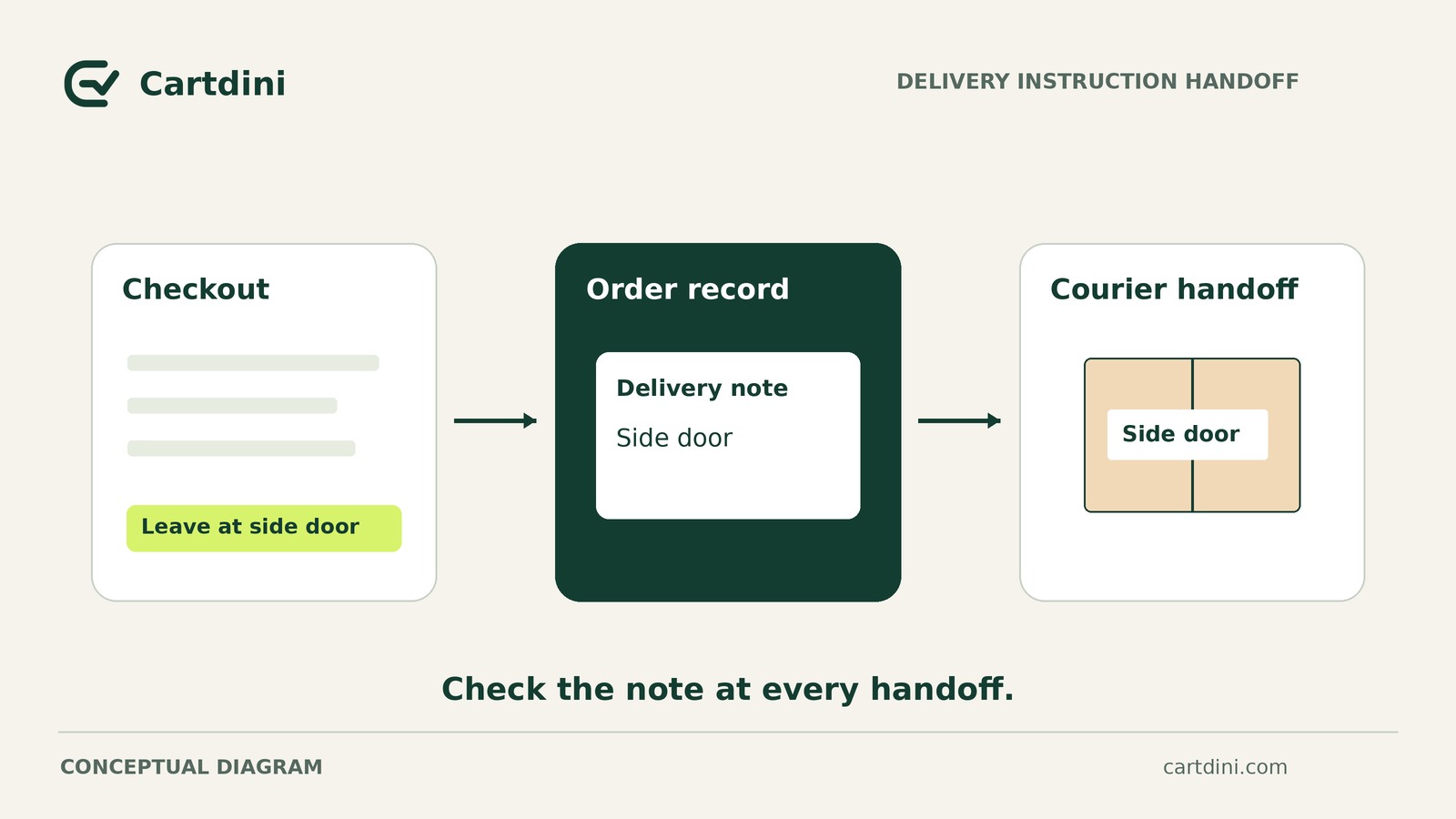
Saving delivery instructions on a WooCommerce order does not establish that they reach the courier. Start with the exact screen, document or export your dispatch team uses. Then trace how the answer gets there and where it goes next, looking for the first failed or unverified handoff.
Create a short handoff map showing where the answer appears, who transfers it, and where the evidence ends. Even successful transmission does not guarantee that a driver will follow the request.
Establish a safe test boundary
Use synthetic data in an appropriate staging or test environment. A sample instruction is “TEST ONLY: Please leave the parcel with reception.” Use test customer details and any test addresses specified by the shipping service, not copied customer records.
Before submitting anything, establish that the test cannot charge a payment, create a live shipment, buy postage, trigger collection or message real recipients. Do not create live shipments solely for this exercise.
If you cannot establish those safeguards, inspect documentation, settings and empty templates instead. Mark the untested steps as unverified.
Set up the handoff map
Follow four checkpoints: checkout, saved order, dispatch working view, carrier-supported instructions channel. The last checkpoint is a place for submitting instructions, not the parcel’s delivery address.
Record each checkpoint and transfer using this format: screen or file inspected; result; evidence label; responsible role; next action.
Include the environment and booking route—the method used to submit shipment details, such as an import or manual entry.
Use three evidence labels:
- Observed in test: directly inspected during a safe test. Record success, absence or truncation explicitly; observation does not mean success.
- Documented only: documentation establishes support, but you have not observed it working.
- Unverified: neither inspection nor documentation establishes the particular claim.
A documented instructions channel and a successful transfer into it are separate claims.
Trace the four checkpoints
1. Checkout
Inspect: Within the safe test boundary, enter the synthetic instruction in the test version of the checkout shoppers use.
Record: The field used, the complete value entered and whether the test order could be submitted.
If missing: Investigate the existing checkout configuration before tracing downstream. An answer entered on screen is not yet evidence that it was saved.
2. Saved order
Inspect: Open the resulting test order and locate the instruction using the responsible staff member’s normal permissions.
Record: Whether the complete answer is attached to the correct order and accessible to that role.
If missing: Review the field configuration, saving workflow or access permissions. Resolve this checkpoint before investigating shipping transfers.
3. Dispatch working view
Inspect: Ask the person preparing parcels to show their actual working screen, document or export. Inspect that route, not an administrator’s preferred view.
Record: Whether the whole instruction appears and is reviewed before shipment booking. If staff must open another screen, name who does so and when.
If missing: Investigate the order-to-dispatch transfer. Inspect test exports safely without importing them into a live shipping account. A column in an export does not prove that the receiving application imports it.
4. Shipping instructions channel
Inspect: Check documentation for the exact carrier, delivery service and booking route. Establish who the instructions are intended to reach, how they can be submitted, and any length, character or request-type restrictions.
Record: Documented support separately from any safely observed received value. If transmission is disabled or testing stops at the export, receipt remains unverified.
If missing: Ask the shipping service’s support team to identify the supported instructions channel and a safe verification method. An internal note is not evidence of a carrier-facing instruction or shipping-label content.
Even confirmed acceptance by the shipping service does not prove that a driver will see or follow the request. Transmission and courier compliance are different outcomes.
Read a hypothetical handoff map
This example assumes a safe test environment and a shipping service whose documentation supports delivery instructions through the selected import route. It is not a report of an actual store test.
- Checkout: test checkout screen; full synthetic instruction entered; observed in test; store administrator owns checking the saved order.
- Saved order: test order screen; complete instruction present; observed in test; operations administrator owns checking transfer into the dispatch export.
- Dispatch: sandbox export file; value reads “TEST ONLY: Please leave the parcel”; observed in test—truncated; operations administrator owns investigating the lost text.
- Channel support: hypothetical service documentation; delivery instructions are supported through this import route; documented only; shipping coordinator owns confirming which receiving field should contain the instruction.
- Export-to-channel transfer: receiving field not inspected; acceptance and completeness unknown; unverified; shipping coordinator owns safe transfer verification.
The first demonstrated failure is saved order to dispatch export, not checkout. Investigate the lost text and repeat that part of the safe trace. The downstream transfer still needs separate verification.
This hypothetical store temporarily removes the delivery-instructions question while investigating. Adding another field would not repair the handoff, and removing the question does not resolve requests already collected.
Decide whether to keep, narrow or remove the question
Keep it when a safe test shows the complete answer reaching a supported instructions channel, the process is practical, and a responsible role owns it. Make the question optional unless there is a specific operational reason to require it. “Delivery request (optional)” can distinguish a request from a promise; supporting text should explain that the courier may not follow it.
If transfer remains unverified, name the missing evidence—for example, receipt of the full test value—and do not describe the route as confirmed. A staging observation is not a guarantee of every live outcome.
Manual transfer is an option only where the service supports entry, a named role can handle the workload, and completeness can be verified. Define when copying happens and how omissions are noticed.
Narrow it only to requests a named team can actually handle. A request staff can fulfil before courier handover is different from an unsupported driver request renamed “dispatch notes.” Change the scope, not merely the label.
Remove it when no workable route exists and nobody can reliably receive or act on the answers. A disclaimer does not repair a broken handoff. Review previously collected requests separately.
Start by asking dispatch to show where they read delivery instructions before booking a shipment. Record that checkpoint, identify the first failed or unverified transfer, and assign its next investigation to a named role.