Ask for a date you can offer.
Set lead days, available weekdays and excluded dates for a date question.
Date rules and limits
Rules apply in Classic and Blocks. Date questions do not reserve appointments or capacity.
Explore date settings ↗CHECKOUT FIELD EDITOR FOR WOOCOMMERCE
Delivery instructions. Gift notes. The details your store needs. Add checkout fields in WordPress and keep your customers’ answers with the order.
Free ZIP download. No account needed. Install in WordPress
You create the question
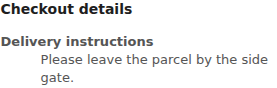
Delivery instructionsPlease leave the parcel by the side gate.
Delivery instructions
Please leave the parcel by the side gate.
YOUR FIRST QUESTION · FREE 1.8.2
Write your question in WordPress. Your customer answers at checkout, and the detail stays with their order.
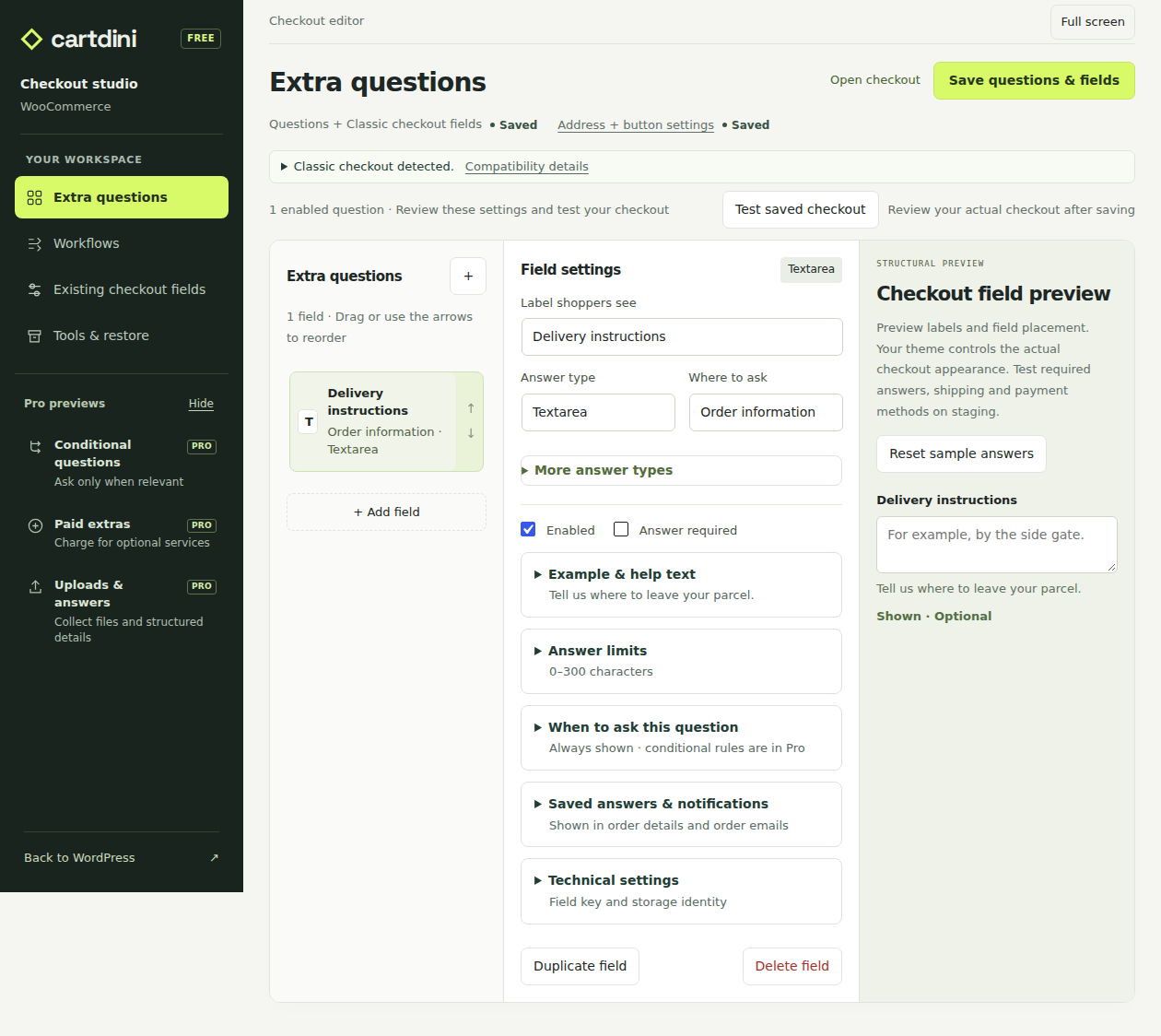
Choose a field type, write the label and decide whether an answer is required.
Choose where answers appear in order details and emails. Follow the first-field guide for the complete setup.
ALREADY IN FREE
WHEN THE QUESTION NEEDS MORE · PRO
Free adds the question. Pro decides when to ask it. Add a relevant follow-up, collect a private file or offer an optional paid service.
Real Cartdini Pro 1.8.2 controls and recorded checkout results.
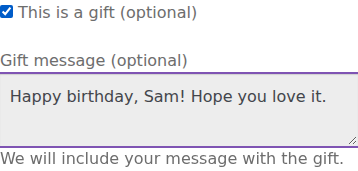
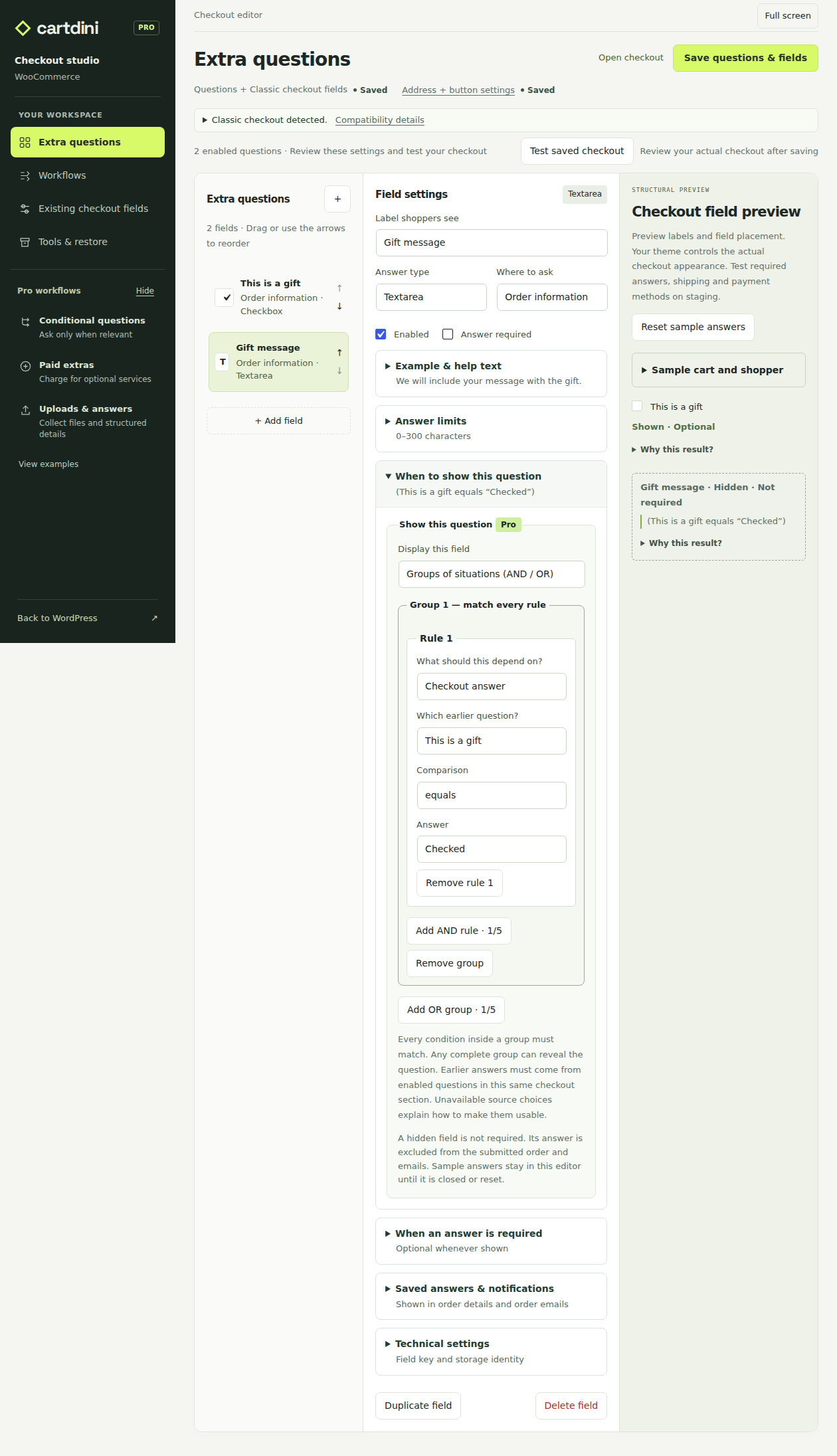
Free can collect a gift message. With Pro, the message box appears only after the shopper selects “This is a gift”.
This optional message adds no charge. You choose the question and condition.

YOUR SETUP · INSIDE WORDPRESS
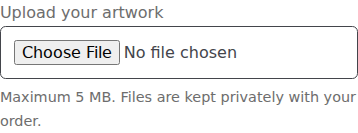
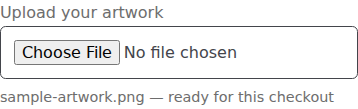
Let customers attach artwork at checkout. Keep the file with their order, with private access for authorized users.
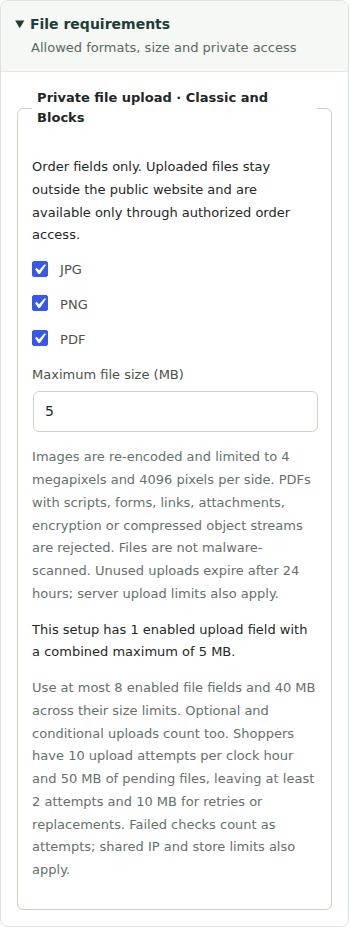
This example accepts PDF, JPG and PNG up to 5 MB. Files are not malware-scanned; file validation and hosting limits apply.
YOUR SETUP · INSIDE WORDPRESS
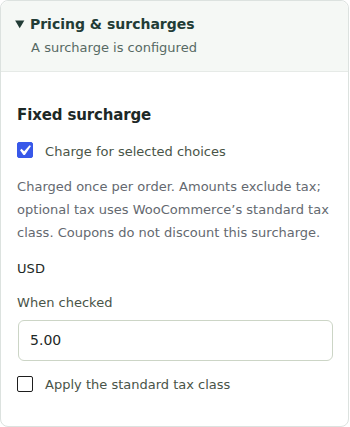
Show the price before the shopper chooses. WooCommerce adds your configured gift-wrapping charge only when it is selected.
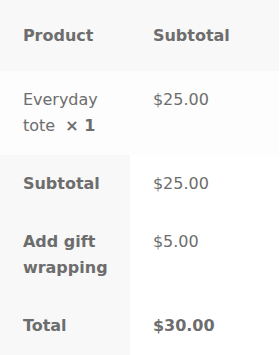
Fictional USD shop: $25 item + $5 gift wrapping = $30. Delivery is free and tax is disabled here. Fees are fixed positive amounts per order.

The same checkout’s order summary
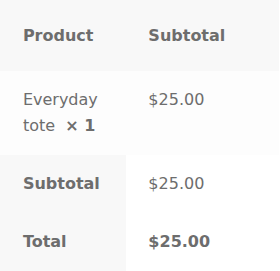

The same checkout’s order summary
YOUR SETUP · INSIDE WORDPRESS
Recorded screenshots from a fictional shop. These examples do not collect information.
Cartdini Free + Pro 1.8.2, WordPress 7.1.3, WooCommerce 11.2.1 and Storefront 4.6.2. Your theme controls the checkout’s appearance. Check your setup and known limitations.
THE SAME PRO FEATURES IN EVERY PLAN
From $49.00 USD / year
1 site · updates and support included · excludes VAT
Requires Cartdini Free and one successful licence activation. Annual subscription renews until cancelled. Plans and renewal details.
Set lead days, available weekdays and excluded dates for a date question.
Rules apply in Classic and Blocks. Date questions do not reserve appointments or capacity.
Explore date settings ↗See checkout answers in your Orders list and export selected orders for your team.
Up to three personal Orders columns. CSV exports include up to 100 selected orders and 20 questions, with HPOS or legacy storage.
Explore order tools ↗Prepare paid gift wrapping, artwork with instructions or participant details. Review, adjust and save.
Explore the starting setups ↗Yes. All nine Free field types work in Classic checkout and Checkout Blocks. Some existing WooCommerce field controls differ between the two. See the exact compatibility details.
Your theme and WooCommerce control the layout. Cartdini adds your configured fields; a fresh installation leaves checkout unchanged until you save a configuration. Test your setup on a copy of your store before going live.
Add custom questions, edit supported existing checkout fields, set required answers and choose where answers appear in orders and emails. Conditional follow-ups, private uploads and fixed paid extras are Pro features. Compare the editions.
Upload the Free ZIP in WordPress → Plugins → Add New. Open WooCommerce → Cartdini, add one optional question and complete a test order. Follow the first-field guide.
Deactivate Pro if installed, then Free. Cartdini’s checkout fields and overrides stop applying. Saved configurations and historical answers remain stored; Cartdini’s display hooks stop while Free is inactive. Reactivating resumes the saved configuration. Read the data details.
START WITH ONE GOOD QUESTION
Free 1.8.2 · No account or licence needed. Add your first question with our installation guide, then check the answer on a test order.